
Caller ID - Block SMS & Calls
Oxylab StudioCommunication
4.80.00 Reviews
- Version
- 2.1
- Installs
- 100.00K
- Age Rating
- Everyone
Screenshots
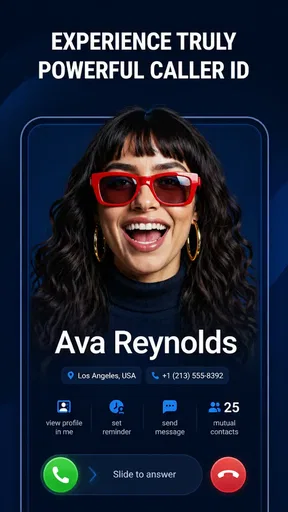
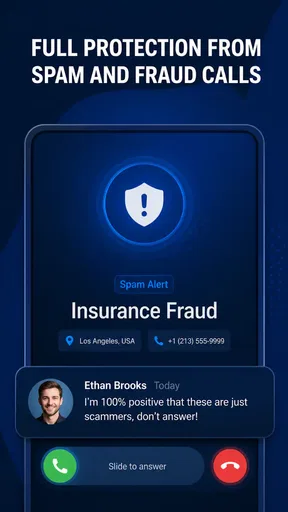
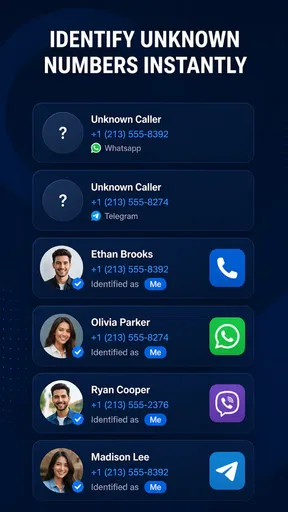
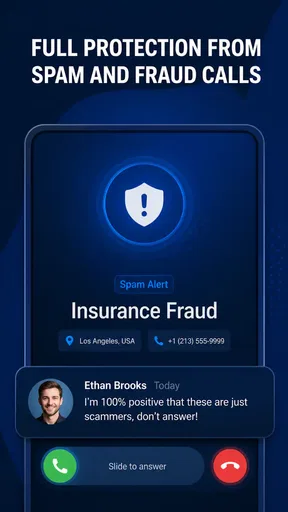
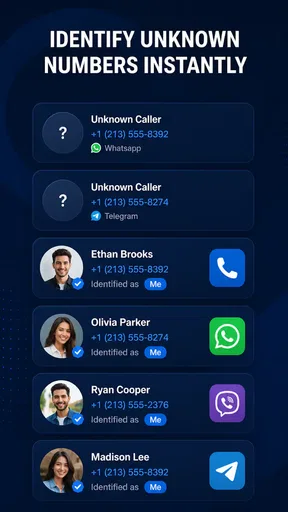
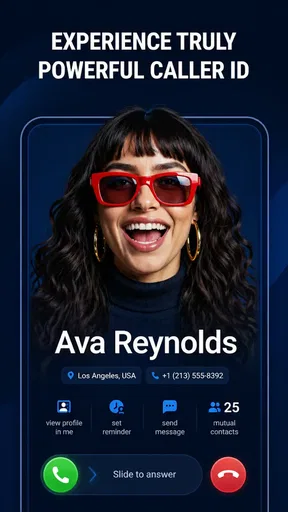
Our Review of Caller ID - Block SMS & Calls
 Analysis by Appyee
When an unknown number interrupts my day, I want a quick answer rather than another complicated screen to manage. Caller ID - Block SMS & Calls, developed by Oxylab Studio, is built around that simple communication problem. It combines caller identification, call blocking, and SMS organization in one free Android app, and its focus feels practical rather than overloaded.
I reviewed it as a tool for people who want more control over incoming calls and messages, especially when a phone is used in busy, noisy, stressful, or visually demanding situations. Its average rating is 4.8 from over 700 ratings, and it has passed 100K+ installs. Those figures suggest that the app has found an audience, but they do not remove the need to look closely at how comfortable it is to use in real life.
The app is rated for Everyone and runs on Android 8.0 or later. Its current version is 2.1, and it was released on Jul 5, 2026. I would describe it as a focused communication app rather than a complete replacement for every phone feature. It is most useful when the problem is unwanted contact, not when you need a full messaging platform or an advanced contact-management system.
How the interface supports quick, readable decisions
I find that a readable interface matters most when I’m interrupted and need to decide quickly, not when I’m browsing at leisure. This section looks at how a focused layout can help separate caller identification from the more consequential choice to block someone. It also considers why a little deliberate review can make those quick decisions safer over time.
Readability and navigation
The strongest design choice is the app’s narrow purpose. Instead of asking me to learn a large social or messaging environment, it centers on the information I need when a call or text arrives: who may be contacting me and whether I want to allow it. That limited scope can make navigation easier for people who become overwhelmed by crowded menus or unfamiliar symbols.
Caller identification is especially valuable when I cannot comfortably stop and inspect a number for a long time. A clear identification step can reduce the mental effort involved in deciding whether to answer. For someone who receives frequent calls during work, travel, childcare, or household tasks, that small reduction in decision-making matters more than decorative interface details.
I also like the connection between calls and SMS. Keeping unwanted communication in separate areas is more useful than treating every interruption as an isolated event. A person who is trying to keep a clean inbox can deal with text messages as a group, while someone who is mainly troubled by phone calls can concentrate on blocking behavior without sorting through unrelated conversations.
There is a practical workflow hidden in that combination: review a suspicious call first, then deal with related messages in the same communication-management routine. That is more efficient than switching between a dialer, a messaging app, and a separate filtering tool. I would use it at the end of the day to review anything I ignored while busy, rather than reacting to every alert immediately.
For readers who rely on larger text, display scaling, or strong contrast, the experience will depend partly on Android’s own settings and on how the app responds to them. I would test those settings before making it the only call-management tool in use. A readable layout at the default display size is not automatically comfortable for every person, particularly on a smaller phone or for someone with reduced vision.
Navigation also has a cognitive side. Blocking a number is a consequential action: it can protect attention, but it can also hide a legitimate caller. I prefer tools that make the difference between identifying, reviewing, and blocking understandable. With this app, I would slow down before confirming a block and keep important contacts saved in the phone’s address book. That simple habit reduces the chance of treating an unfamiliar but necessary call as spam.
Motor and sensory considerations
For users with limited dexterity, the app’s value comes from reducing the number of steps needed to handle unwanted contact. A dedicated call-blocking tool can be easier than repeatedly opening a number, searching through settings, and changing several phone preferences. The less often a user has to perform precise taps, the less frustrating the task becomes.
At the same time, blocking is not something I would automate casually when a phone is used for medical appointments, deliveries, school communication, or work. A fast control is helpful only when its result is predictable. My advice is to use the app as a review tool first: identify patterns, decide which contacts are clearly unwanted, and then block deliberately. This is a better workflow for anyone who has difficulty correcting accidental selections.
Sensory overload is another area where the app can be useful. Unwanted calls and repeated SMS alerts can create a stream of interruptions that is difficult to filter mentally. Organizing those communications can help a user regain control of the phone without needing to respond to every message. I would particularly recommend this approach to someone who finds repeated unknown-number notifications distracting or stressful.
However, identification is not the same as certainty. A caller label should support a decision, not replace judgment. Numbers can be reused, contacts can call from unfamiliar lines, and legitimate organizations may not appear in a way that feels immediately recognizable. If a person has difficulty processing ambiguous information, the safest approach is to let the app reduce noise while still checking important calls through a trusted channel.
Audio access also deserves a realistic note. A caller ID tool can help someone who cannot easily listen to a ringtone or who prefers visual confirmation, but the exact benefit depends on how notifications appear on that person’s device and Android configuration. I would not assume that installing the app alone solves every hearing-related access issue. Visual notification settings, vibration preferences, and the phone’s own accessibility options may still be necessary.
Likewise, people with low vision may appreciate having caller information presented before answering, but they should check whether text size and contrast remain comfortable in the app’s main views. If the labels become cramped after enlarging system text, a phone’s built-in call controls may be easier for daily use. The app is a useful layer, not a guarantee that every screen will suit every visual preference.
Situational access in ordinary routines
One realistic example is a person commuting with their hands occupied. A call arrives from an unknown number while they are carrying bags or helping a child. Instead of immediately answering or repeatedly checking the number later, caller identification gives them a basis for deciding whether the interruption can wait. Once they are free, they can review the call and any related SMS in a calmer setting.
Another scenario is a remote worker who receives genuine business calls alongside promotional messages. Blocking every unknown number would be risky, because a new client or delivery service may not already be saved. In that situation, I would use identification to screen calls, keep important numbers in contacts, and treat SMS organization as a way to reduce clutter rather than as permission to reject anything unfamiliar.
The app can also suit someone who shares a phone with a family member who is less confident with technology. A focused tool is easier to explain than a collection of separate settings: identify the caller, decide whether the contact is wanted, and organize messages that should not dominate the inbox. The key is to establish a simple household rule for reviewing blocked items so that an important message is not forgotten.
For older users, the benefit may be less about advanced filtering and more about reducing uncertainty. Unknown calls often create anxiety because the person has to decide quickly. A caller ID function can make that moment less abrupt. I would still pair the app with a short list of trusted contacts and an agreed method for returning important calls, since no identification system should be treated as infallible.
It is also useful during quiet periods. If notifications are disruptive during study, rest, or a meeting, I would avoid making rapid blocking decisions in the moment. Instead, I would note the number, finish the task, and review it later. This separates immediate attention management from permanent contact decisions, which is a small but important accessibility improvement for people who struggle when interrupted.
People who use assistive technologies should test the complete path they care about, not just the opening screen. Can they reach the relevant control, understand the caller information, and return to the previous view without confusion? Android 8.0 compatibility makes the app available to older devices, but device age can also affect screen behavior, performance, and how system notifications interact with third-party communication tools.
Where the experience still creates barriers
The first limitation is that the app is Android-focused. It requires Android 8.0 or later, so it is not the right choice for someone using an older Android phone or looking for an iPhone solution. That requirement is reasonable for a modern app, but it is still an important practical boundary when a household uses mixed devices.
The second limitation is the risk of overblocking. A person who wants complete silence from unknown numbers may be tempted to block broadly, but that can affect appointment reminders, courier calls, school contacts, or one-time business calls. I would not recommend this app as a set-and-forget shield for anyone whose phone is a primary safety or work connection.
There is also a learning curve around trust. Caller ID is helpful only when the user understands what the displayed information means and what it does not mean. Someone with memory difficulties or limited digital confidence may need a short demonstration and a written routine. Without that support, the app could replace one source of confusion with another: a label appears, and the user still does not know whether answering is safe.
Message organization can reduce clutter, but it can also make a person less likely to notice a legitimate text if they rarely review filtered areas. I would build a regular check into the routine, perhaps after important errands or before responding to missed calls. This is one of the most useful trade-offs to understand: less interruption usually means more responsibility for reviewing what was separated.
Another barrier is context. A person with limited vision, hearing, dexterity, or attention may need different combinations of visual, audio, and vibration feedback. The app addresses communication control, but it should not be mistaken for a complete accessibility suite. If the phone’s native dialer already provides clearer controls, better text scaling, or more familiar gestures, using the native option alongside this app may be the more comfortable arrangement.
I would also skip it if you rarely receive unwanted calls or messages. Installing another communication layer adds a decision point that may not repay its cost in attention, even though the app itself is free. People who prefer a minimal phone setup may be better served by the built-in Android controls and a carefully maintained contacts list.
My inclusive verdict
In my experience, Caller ID - Block SMS & Calls is most convincing as a focused way to reduce communication noise. Its combination of caller identification, blocking, and SMS organization gives users a practical sequence: understand the interruption, decide what deserves attention, and keep unwanted contact from taking over the phone.
I would recommend it to Android users who regularly deal with unknown callers, promotional texts, or a crowded communication routine. It can be especially helpful for people who need more time to make decisions, who find repeated alerts overwhelming, or who want a calmer review process after a busy day. The strongest accessibility benefit is not a special claim or certification; it is the way a narrower purpose can make a stressful task easier to manage.
I would be more cautious for users who depend on every unfamiliar call, have difficulty reviewing filtered messages, or need highly customized accessibility behavior. In those cases, the built-in phone tools may offer a more familiar foundation, while this app can be tested as an additional layer rather than the sole gatekeeper.
Because it is free and rated for Everyone, trying it is relatively straightforward for a compatible Android phone. My practical recommendation is to begin conservatively: save essential contacts, observe how caller information fits your routine, block only numbers you recognize as unwanted, and check organized messages regularly. That approach preserves the app’s main advantage—less interruption—without sacrificing access to communication that matters.
Overall, Oxylab Studio has made a useful communication utility for a very specific problem. It will not remove every ambiguity surrounding unknown calls, and it cannot replace good contact habits or Android’s own accessibility settings. Still, when used thoughtfully, Caller ID - Block SMS & Calls can give people more control over when and how their phone demands attention.
Verdict
Strengths of Caller ID - Block SMS & Calls
- Identifies many unknown callers before you answer
- Blocks unwanted calls and suspicious numbers automatically
- Filters spam SMS messages from your inbox
- Simple interface makes call settings easy to manage
- Useful search tool for checking unfamiliar phone numbers
Limitations of Caller ID - Block SMS & Calls
- Some identification features may require a premium subscription
- Caller information can be inaccurate or outdated
- Blocking rules may occasionally stop legitimate callers
- The app may use noticeable battery and background data
- Privacy permissions may concern users sensitive to call data access
Similar Picks in This Category
View All
Google Messages
Google LLC4.6

Gmail
Google LLC4.1

Google Meet
Google LLC4.4

Google Chrome
Google LLC4.1

WhatsApp Messenger
WhatsApp LLC4.6

Carrier Services
Google LLC4.2
Frequently Asked Questions
What is Caller ID - Block SMS & Calls used for?
Caller ID - Block SMS & Calls is designed to help identify incoming callers and manage unwanted communication. It can display information about unknown numbers when available, while also giving you tools to block nuisance calls, spam, and selected contacts. The app may also include SMS filtering features, making it easier to separate useful messages from advertising or suspicious texts.
Can the app identify every unknown caller accurately?
No caller identification service can recognize every number with complete accuracy. Identification usually depends on the app’s database, user reports, publicly available information, and the permissions granted on your device. Some numbers may appear without a name, while others could be outdated or incorrectly labeled. Treat unexpected calls carefully and avoid sharing private information solely because an identity is displayed.
How does call and SMS blocking work?
The app generally allows you to create blocking rules for individual numbers, unknown callers, suspected spam, or specific contacts. Depending on your device and operating-system version, it may also filter text messages into a separate area instead of deleting them immediately. You should review the settings after installation to confirm whether blocked calls are rejected, silenced, or simply recorded in the app.
What permissions does Caller ID - Block SMS & Calls require?
Caller identification and blocking tools commonly request access to phone calls, contacts, call history, and SMS features. These permissions are necessary for functions such as recognizing callers, applying blocking rules, and filtering messages. Before accepting, check the permission explanation and your device’s privacy controls. If a permission seems unrelated to the advertised features, consider denying it or reviewing the developer’s privacy policy.
Is Caller ID - Block SMS & Calls free to download and use?
The app may be available to download at no initial cost, but some features can depend on advertisements, premium subscriptions, or in-app purchases. Advanced caller identification, expanded spam databases, or an ad-free experience may require payment. Check the current Google Play Store or Apple App Store listing for pricing, trial conditions, renewal terms, and supported devices before subscribing.
